New Tabs in Applicant List
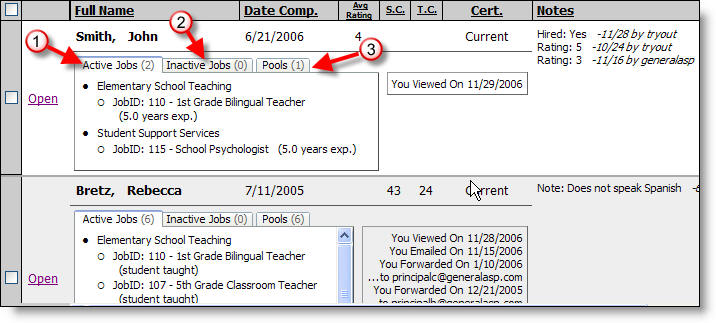
When viewing a list of applicants you can use new tabs that organize the active jobs, inactive jobs, and the pool of desired positions that the applicants have selected.
Here's how:
Once you have selected a list of applicants you can then click on one of the three new tabs.
1) Active jobs--Current vacant positions that the applicant selected
2) Inactive jobs--Previous vacancies that the applicant selected
3) Pools--Positions for which the applicant would like to be considered when vacancies occur in the future
Note that the numbers to the right of the tab name (ie "Active Jobs") lists how many jobs or pools are on that tab.